Research-led PLP redesign that drove a +126% increase in filter engagement
How behavioral research and competitive benchmarking turned a frustrating product-listing experience into a strategic conversion lever for one of Brazil's largest telecoms.
Outcomes
Result: +126% YoY filter engagement (131k → 298k interactions). Redesigned PLP now in A/B testing for conversion and revenue impact.
My role: Led end-to-end UX — benchmarked 15+ national and international platforms, ran Hotjar behavioral analysis, and presented findings to Product leadership and C-level.
Business impact: Repositioned the PLP from "just a list" to a strategic conversion surface, securing C-level investment in the redesign.
TL;DR
Business goal: Make filtering and sorting fast and intuitive to improve product discovery and conversion.
What I did: Led benchmark research, Hotjar behavioral analysis and UX strategy for a new filters & sorting model.
Outcome: +126% YoY filter engagement (131k → 298k); redesigned PLP now in A/B testing for conversion and revenue.
Context & Business Goal
Claro’s e-commerce platform offers a wide range of devices and accessories. The Product Listing Page (PLP) plays a critical role in:
Product discovery
Campaign and promotion visibility
Conversion
Reducing support tickets related to product choice
The business needed a filters & sorting experience that supported fast, confident decision-making and could scale across categories and devices.
Business goal: Increase product discoverability and support higher conversion by making it easier for users to narrow down large catalogs and find the right product faster.
The Challenge
The existing PLP experience made it hard for users to:
Quickly narrow down options
Understand which filters were available
Use sorting in a meaningful, goal-driven way
Efficiently filter on mobile
From a UX and product standpoint, it was clear that this decision layer was underperforming, and friction here had direct impact on:
Drop-offs during product exploration
Misalignment with promo and commercial priorities
User confidence in the catalog
Key Constraints
Need to reuse and respect existing design system components
Performance requirements on mobile web
Legacy catalog & search infrastructure
Multiple stakeholder interests (commercial, marketing, product, CX)

My Role & Responsibilities
I led the end-to-end UX work for this initiative:
Defined research objectives and plan
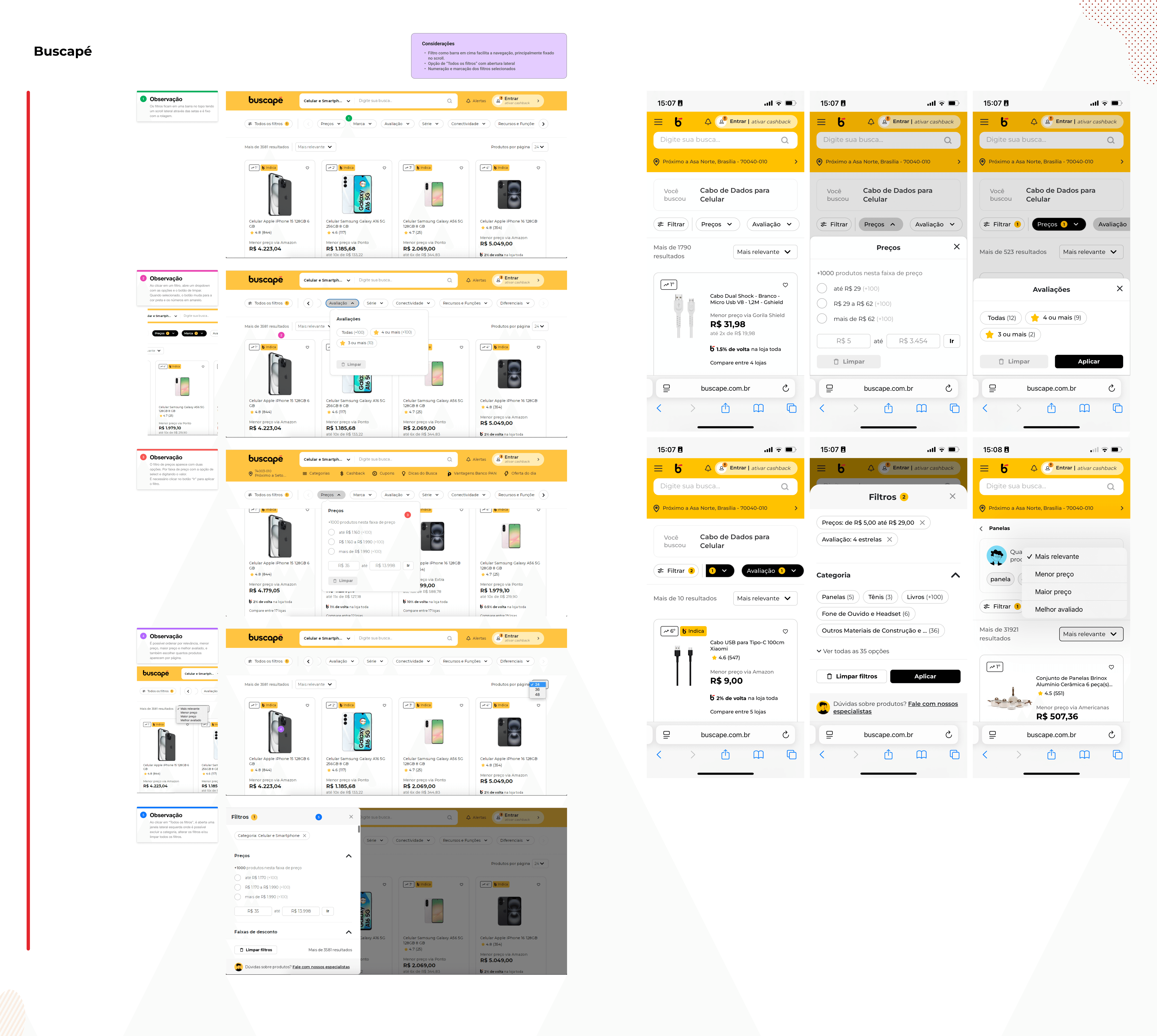
Conducted competitive & cross-industry benchmarking
Ran behavioral analysis (Hotjar heatmaps & session replays)
Synthesized findings into experience principles and product recommendations
Presented outcomes to Product leadership and C-level stakeholders
Collaborated with developers on feasibility and component logic
Supported QA and post-dev UX review
Contributed to the new PLP prototype and experimentation plan
Discovery & Research
1. Competitive & Cross-Industry Benchmark
I analyzed how leading platforms structure PLPs, filters, and sorting:
National: Arezzo, Samsung, Magalu, Casas Bahia, Mercado Livre, Riachuelo, TIM, Vivo, Buscapé
International: Walmart, AT&T, Vodafone
Vertical expert: Kimovil
For each, I mapped:
Filter placement and hierarchy
Filter types (price, brand, category, technical attributes)
Sorting logic and labels
How applied filters are shown and removed
Mobile behaviors and patterns
Visual treatments for promotions and offers
This benchmark gave us a pattern library of what works for large product catalogs serving different user intents.
2. Behavioral Analysis on Current PLP
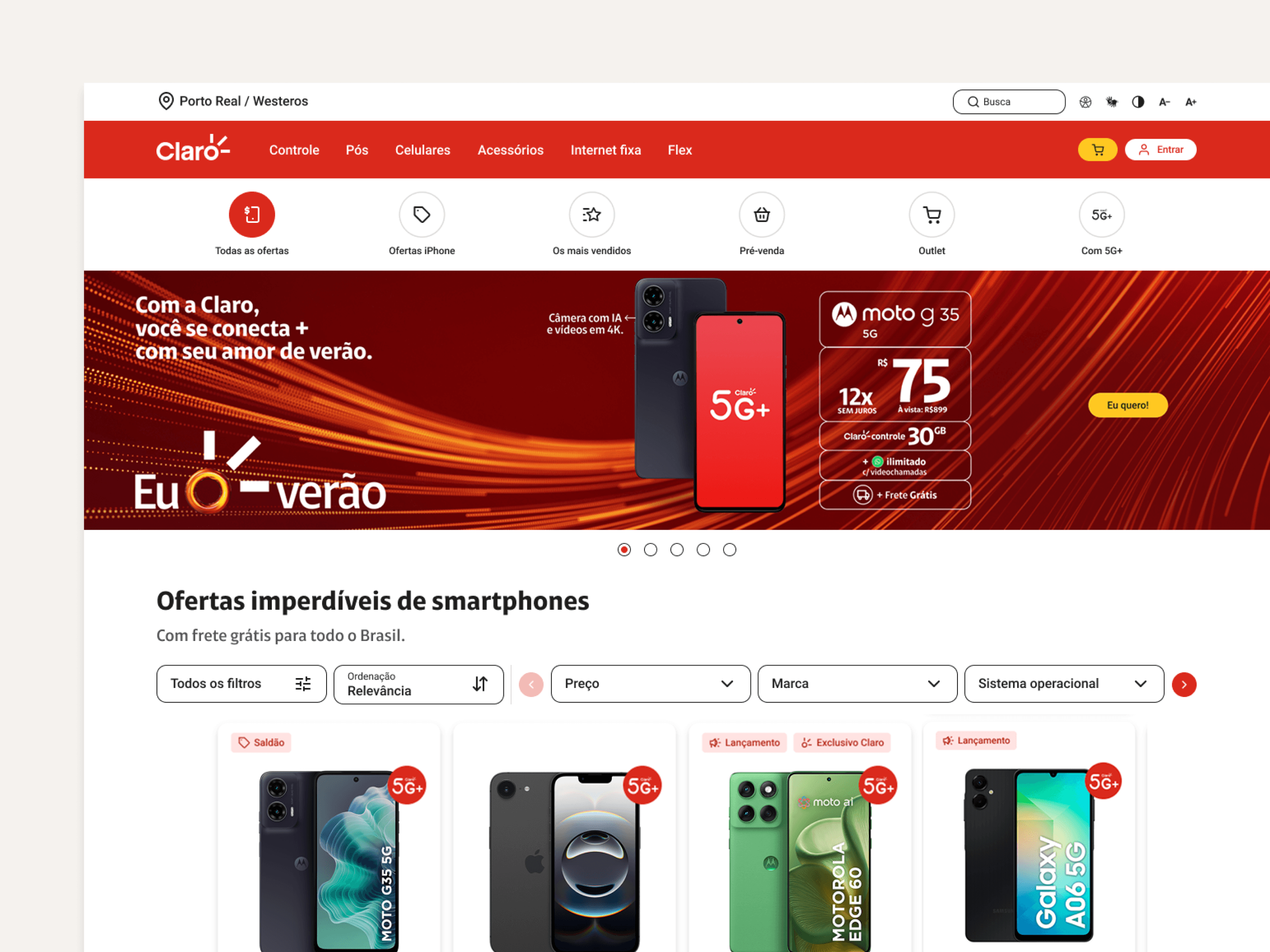
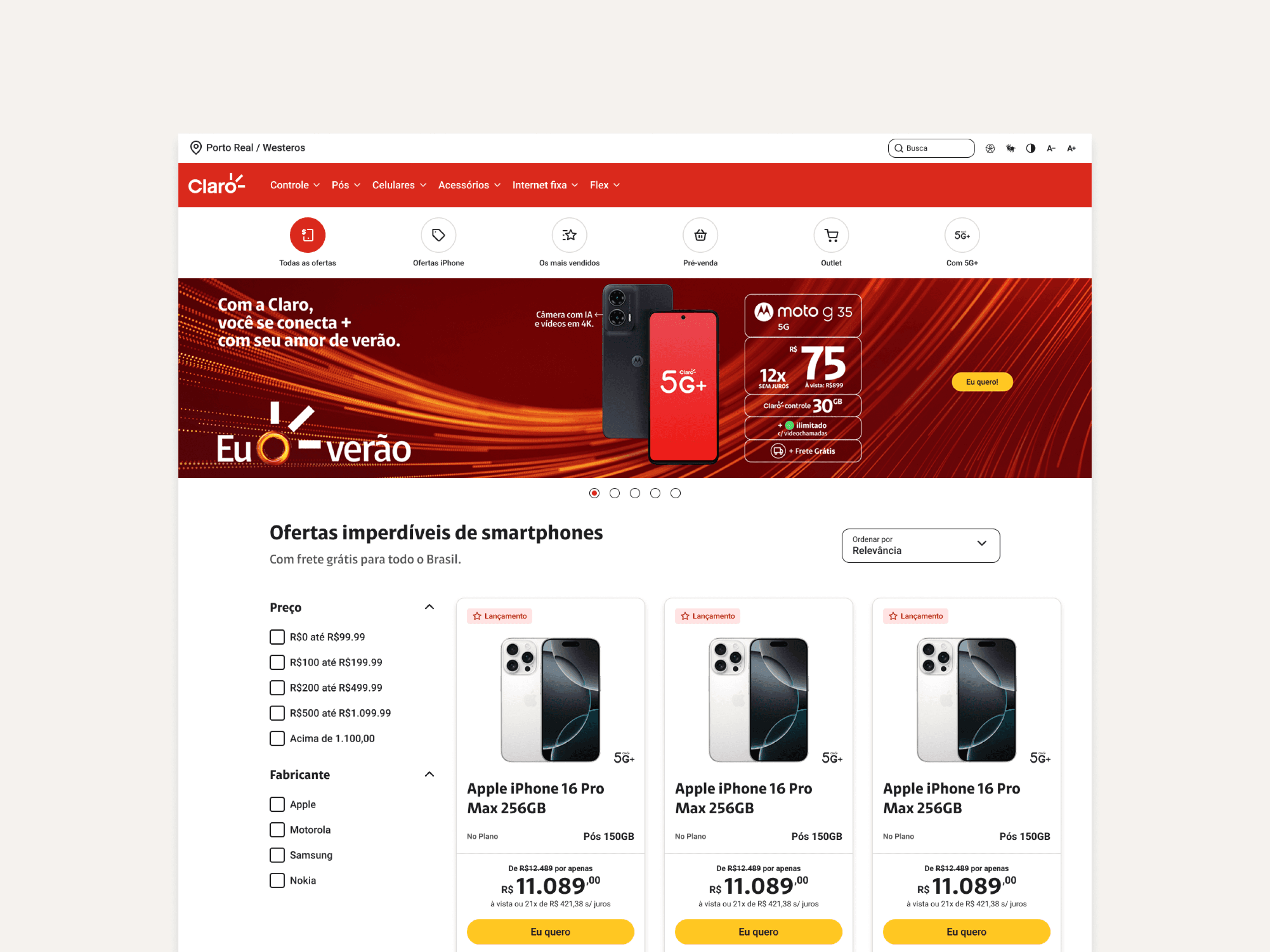
To understand how users actually interacted with Claro’s PLP, I ran an in-depth behavioral review using Hotjar:
Click maps & scroll maps
Session recordings focused on filter/sort interactions
I focused on:
Most-clicked areas & dead zones
Attempts to interact with non-clickable elements
Mis-clicks and hesitation behaviors
Scroll depth and attention hotspots
Key UX Gaps Found
Misleading affordances: Users repeatedly clicked elements that weren’t interactive.
Confusion between filters and sorting: Users struggled to understand which control did what.
Low discoverability of advanced filters: Important decision attributes were hidden or nested.
Poor feedback on applied filters: Users weren’t always sure what was active or how to clear it—especially on mobile.
Key Insights
Synthesizing the benchmark and behavioral analysis, we landed on several critical insights:
Users rely heavily on filters, but the current UI made that reliance painful.
Technical attributes (e.g. specs) were essential to decisions but buried in the interface.
Mobile usage patterns required a different hierarchy and interaction model than desktop.
Sorting options were unclear and misaligned with common shopping intents.
Visual emphasis on promotions and offers significantly influenced how users navigated the PLP.
These insights became the backbone for the new PLP concept and informed both UX and product decisions.
Strategy & Experience Principles
I translated research into a set of experience principles that guided the redesign:
Speed over density
Fast narrowing is more valuable than showing everything at once.
Intent-driven filters
Organize filters based on how users choose products (goals, use cases), not just internal taxonomy.
Mobile-first interaction
Filters must feel effortless and easily reversible on small screens.
Clear system feedback
Users should always understand:
What’s currently applied
How to change it
How to reset to a broader set
Integrated commercial visibility
Promotions and best-sellers should be integrated into the exploration, not layered on top.
Design & System Thinking
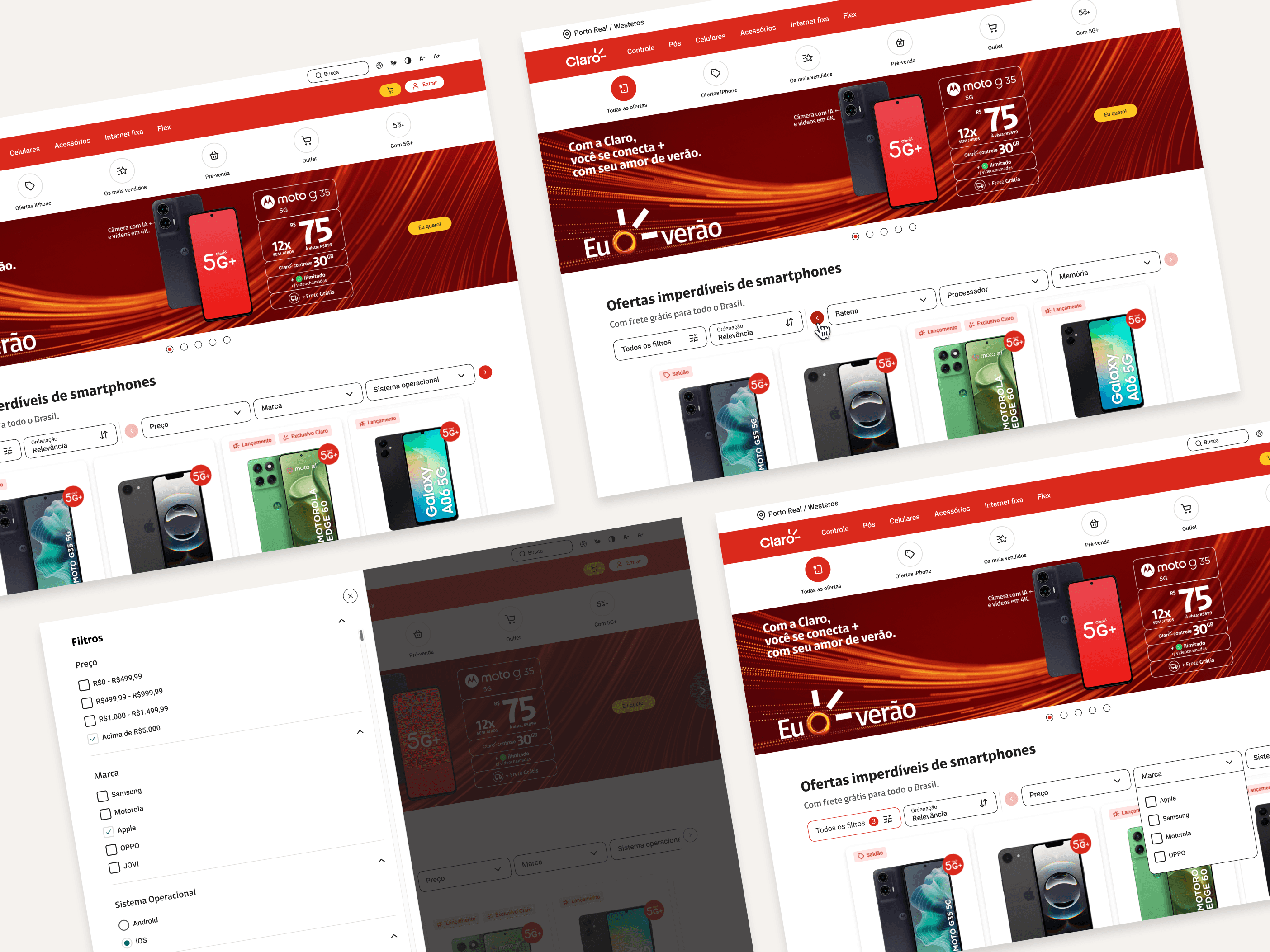
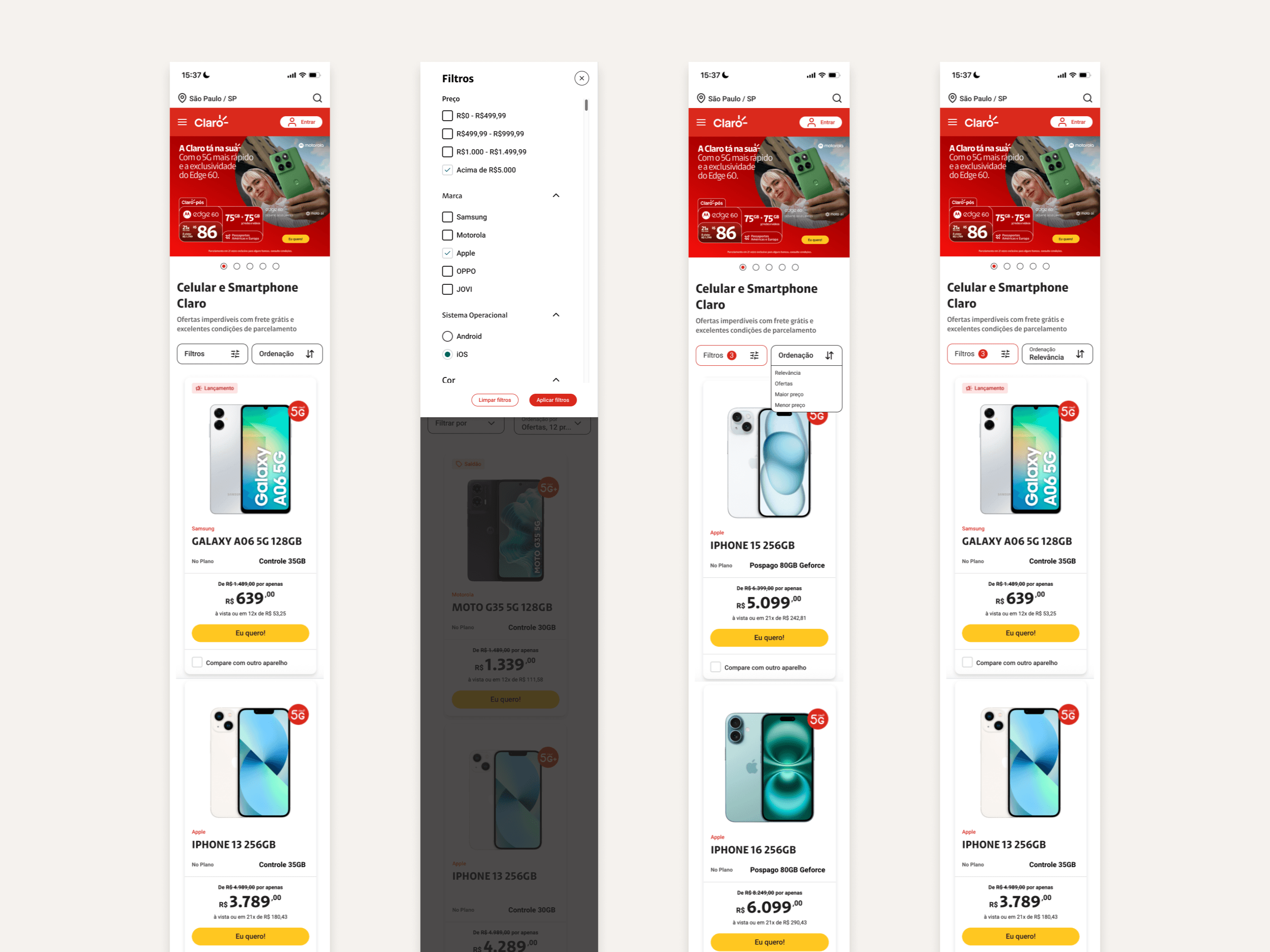
Working with Product Owner and Engineering, I helped shape the new PLP prototype:
Reorganized filter hierarchy based on real decision attributes
Clear separation of filters vs sorting to reduce confusion
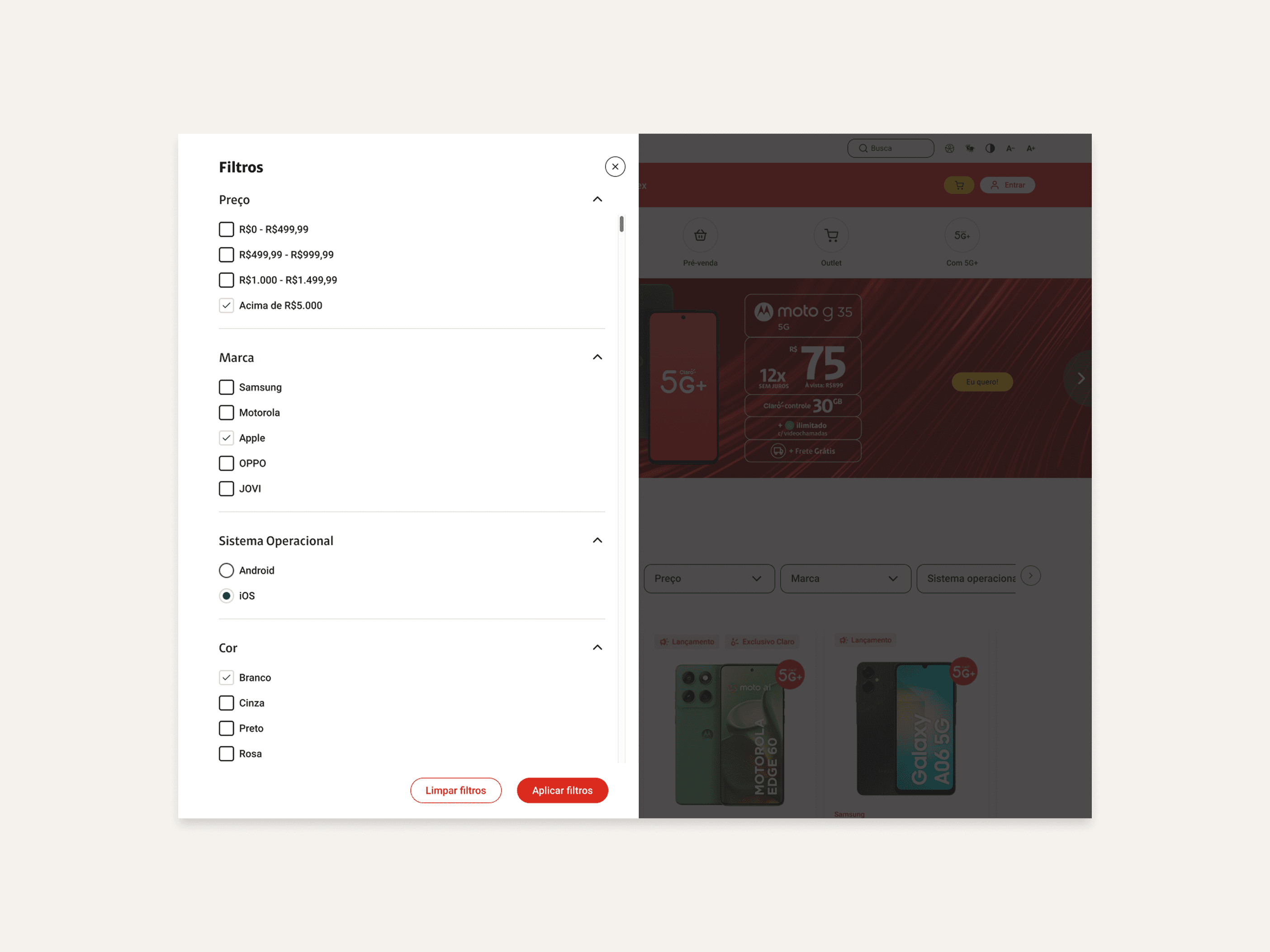
Improved mobile patterns: full-screen, easy-to-apply/remove filters with strong feedback
More meaningful sorting options (e.g. relevance, newest, best-selling, promotional priorities)
Stronger visibility of promotions and attributes within product cards & filters
Design system–aligned components to ensure scalability across categories and future features
We defined:
Component behaviors & edge cases
States for applied filters, empty results, and resets
Analytics hooks to track interactions and support further optimization
Stakeholder Collaboration
Executive & C-level Alignment
I delivered a summarized, business-focused presentation covering:
Current friction & impact on product discovery
Competitive positioning and missed opportunities
Key behavioral findings
Experience principles & strategic recommendations
This session created alignment between C-level, Product, UX, and Engineering around investing in PLP improvements as a strategic lever.
Partnership with Development & QA
Throughout implementation, I:
Clarified interaction behaviors and edge cases
Worked with developers to respect performance constraints, especially on mobile
Supported QA in reviewing flows, spotting UX regressions, and aligning the build with the intended UX
Images: Benchmarking, filters before redesign and new mobile version:
Results & Impact
Using Google Analytics, we measured a significant behavioral shift after the new experience was released and adopted:
Filter interactions in November 2024: 131,392
Filter interactions in November 2025: 297,978
That’s a +126% year-over-year increase in filter usage, indicating:
Higher discoverability
Stronger user reliance on filters for decision-making
Increased engagement with product refinement tools
The redesigned PLP is now undergoing A/B validation to measure the impact on conversion and revenue.
Reflection
This project reinforced how “small” interaction patterns—filters, sorting, layout decisions—can deeply affect:
User confidence and satisfaction
Product discovery and relevance
Overall commercial performance
It also showed the value of combining:
Market and competitor benchmarking
Behavioral analytics
Clear experience principles
Cross-functional alignment
Next steps I’d pursue:
Personalized filters based on previous behavior or segments
Context-aware sorting (e.g. different default sort by campaign or category)
Deeper analysis of filter combinations and their correlation with conversion