TL;DR
Business goal: Enable operations teams to safely scale and maintain large IVR workflows without heavy engineering dependency.
What I did: Led discovery and UX definition for a new IVR Workflow Builder – mapping the current system, benchmarking best-in-class tools, and defining safer, more scalable interaction models.
Outcome: A new set of principles, interaction patterns, and UX specs that informed the IVR 2.0 roadmap and modernization efforts.
Context & Business Goal
Ipscape’s IVR management system (“Vault”) allowed operations teams to create and maintain voice workflows for high-volume contact centers. Over time, the tool had become:
Too complex to safely use
Inflexible and hard to scale
Highly dependent on engineering for changes
Business goal: Make IVR workflow creation and maintenance safer, more efficient, and scalable so operations teams can manage complex IVRs with reduced risk and less reliance on engineering.
The Challenge
The existing IVR builder had critical UX and architectural flaws:
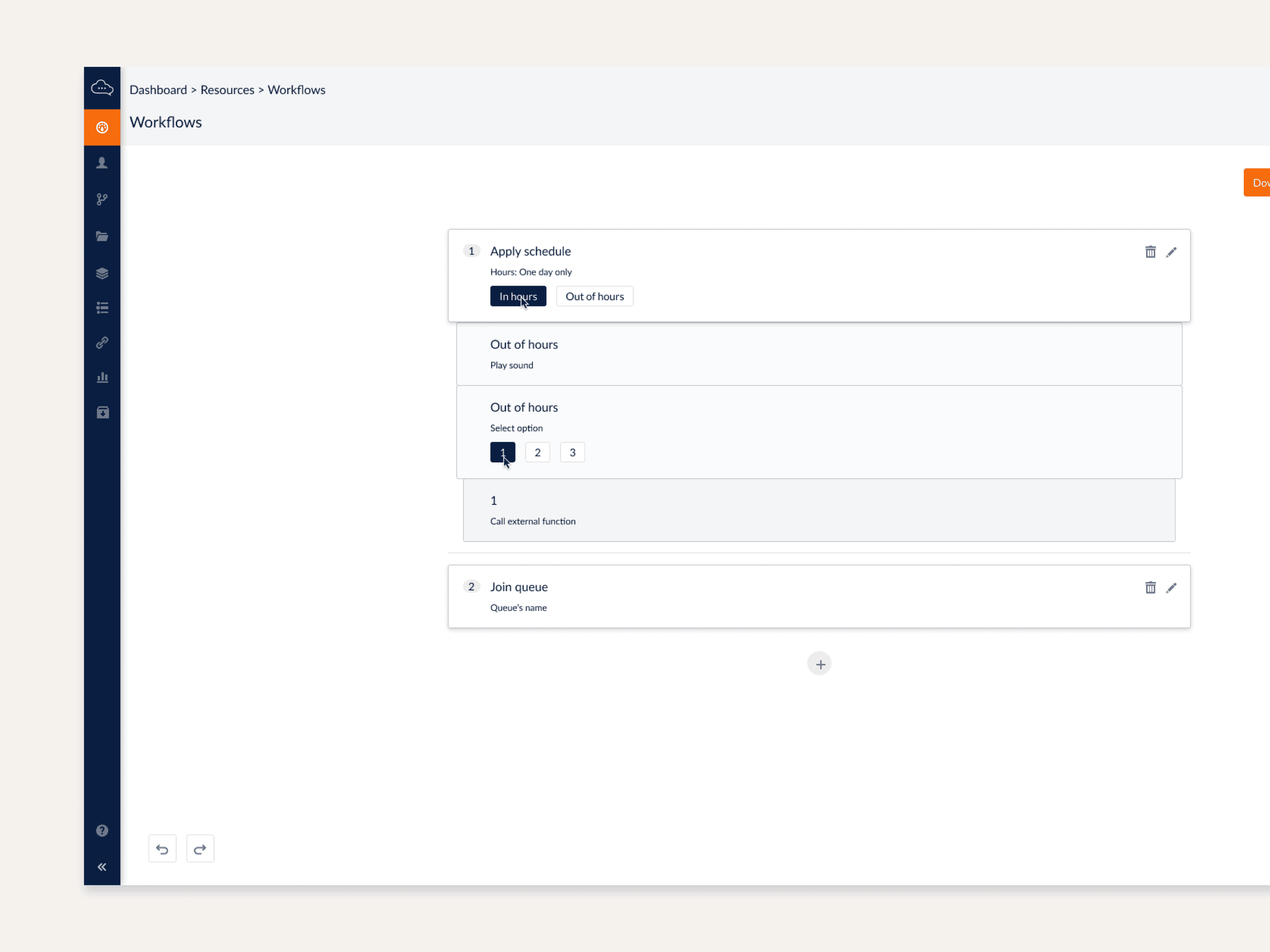
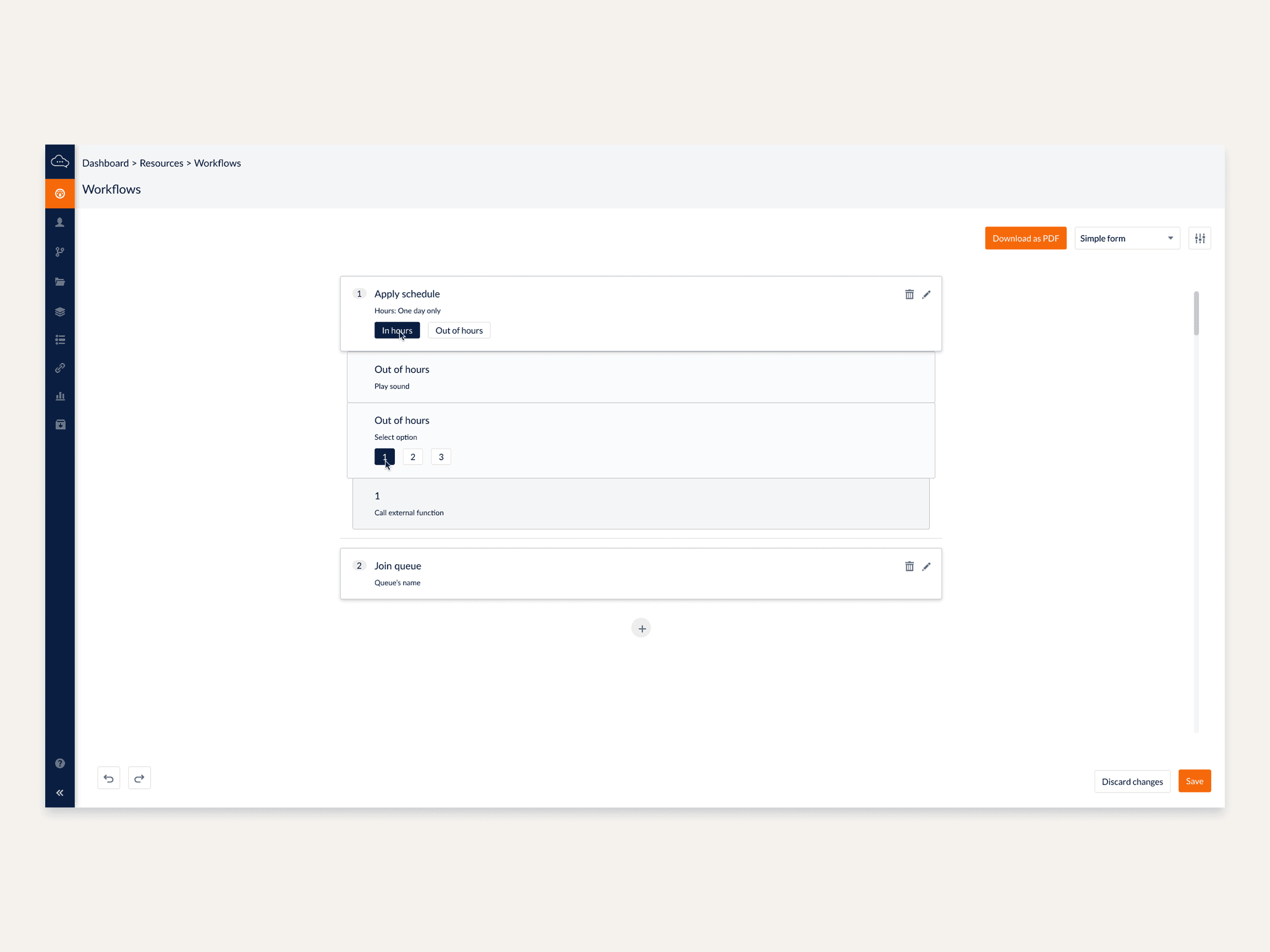
No way to visualize complete workflows (only partial, local views)
Editing was “dangerous” — removing an object could silently break the flow
Impossible to add objects in the middle of a workflow safely
No warnings, validation, or safeguard mechanisms
No visibility into dependencies between workflows
Unclear naming and categorization of objects
Limited support for new or essential objects (e.g. voicemail, recording, callback logic)
For a high-volume telecom IVR system, this created:
Operational risk (errors reaching production)
High dependency on engineering for changes
Slow campaign creation and updates
Lack of confidence in the tool by operations teams
This was fundamentally a systems and product architecture problem, not just a UI polish issue.
Key Constraints
Existing IVR engine with legacy constraints
Complex interdependencies between IVR flows
Multiple user personas (admins, supervisors, engineers)
Safety-critical environment where errors are costly
My Role
I led the discovery and early design definition for IVR Builder 2.0:
Mapped the current state of workflows and tool capabilities
Benchmarked comparable tools (Typeform, Salesforce, Zendesk)
Conducted user interviews with admins, ops, and technical teams
Identified pain points and failure patterns
Defined experience principles for a safer, scalable workflow model
Created early interaction concepts and wireframes
Provided UX input for roadmap and technical discussions
Discovery & Insights
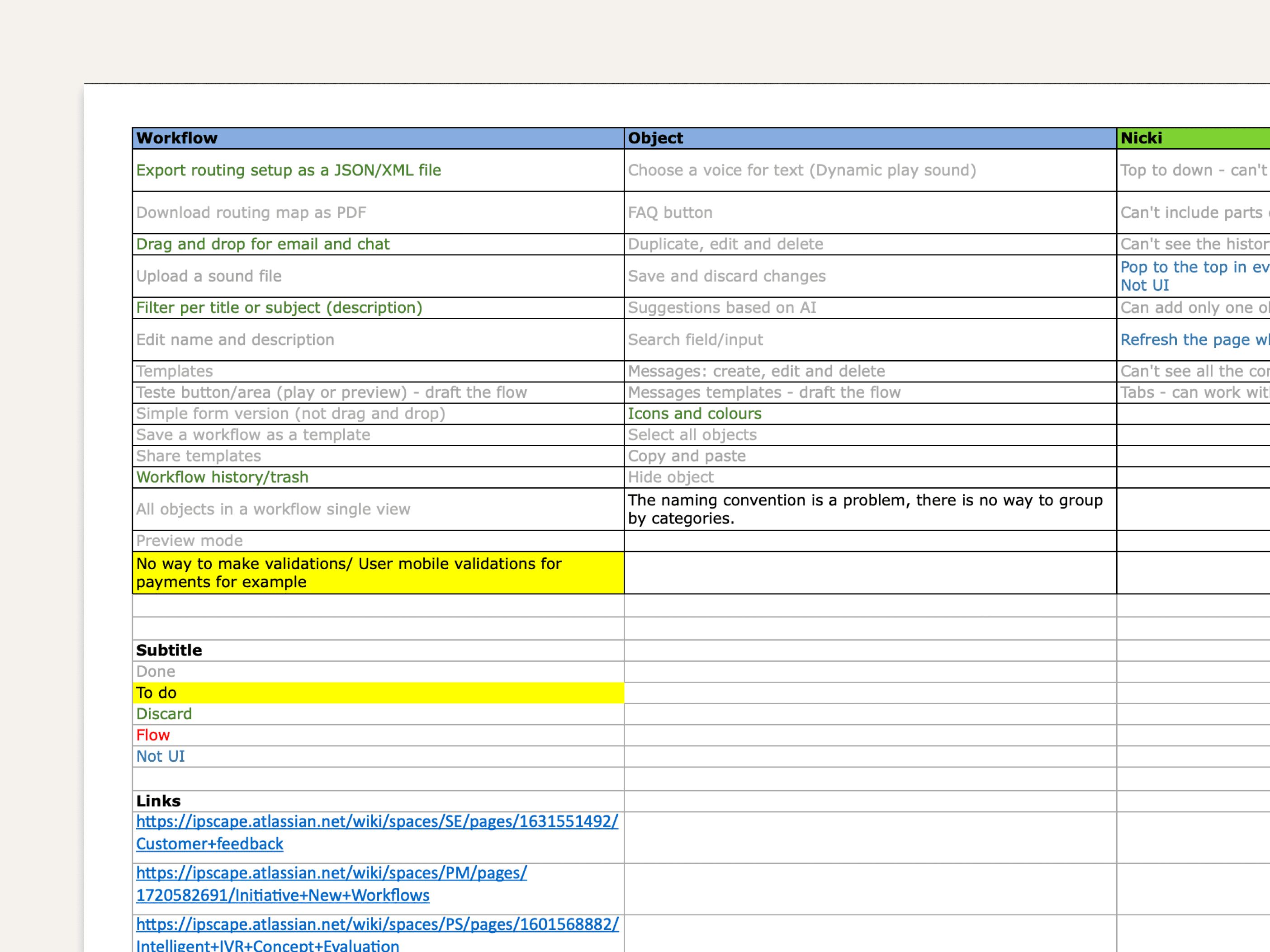
1. Workflow Mapping
I systematically mapped the existing IVR experience:
All available objects and their behaviors
Current interaction model and editing limitations
How workflows linked to each other
Typical error scenarios and their consequences
This revealed:
Structural issues in the system architecture
Hidden dependencies between flows that users couldn’t see
Fragile editing patterns that made changes risky
2. Benchmarking Enterprise Workflow Tools
I evaluated tools such as:
Typeform – composition, drag-and-drop creation, logic jumps
Salesforce – workflow automation and system logic
Zendesk – flows, triggers, and automation
These benchmarks highlighted modern patterns we were missing:
Canvas-based visual editing
Drag-and-drop composition
Multi-select and bulk operations
History/undo support
Preview and validation before publishing
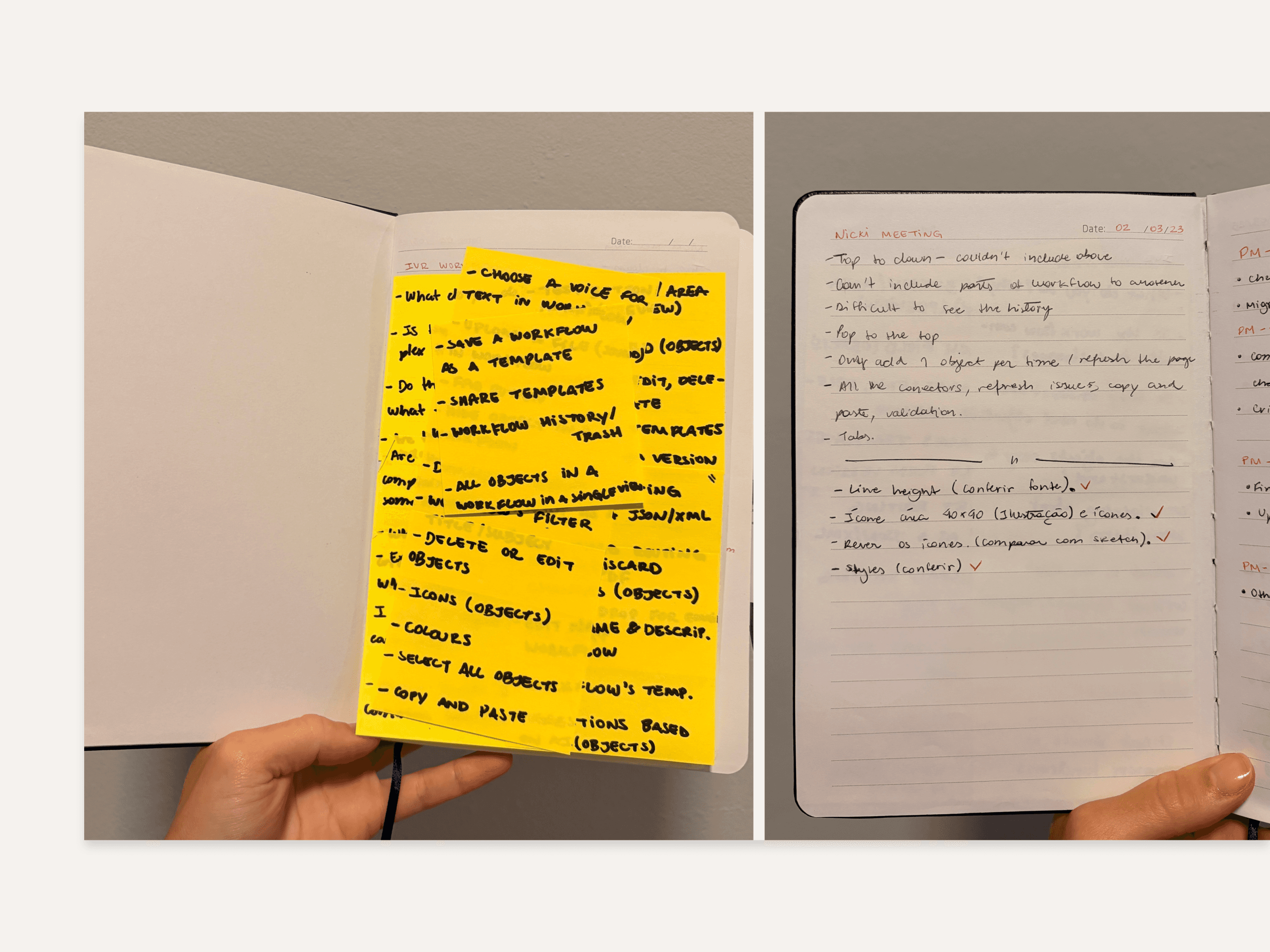
3. User Interviews
I interviewed admins, operations staff, and engineers who used or supported the tool:
Editing was perceived as “dangerous”
No audit history or safe rollback
No way to preview full call paths
Inability to add or modify objects mid-flow without breaking things
Lack of visibility into cross-workflow dependencies
Missing key objects (e.g. voicemail handling, capture/record, callback logic)
These insights formed the basis of the new experience principles.
Experience Principles for IVR 2.0
Safety by default
Warnings, validation, safe editing modes, undo/history.
Full visibility
Always provide a complete view of IVR architecture, not just isolated pieces.
Flexible editing
Add, remove, or move objects anywhere in the flow without breaking everything.
Scalable logic composition
Support drag-and-drop, templates, and reusable patterns.
Cross-workflow awareness
Visualize links and dependencies between workflows.
Low cognitive load
Clear naming, categories, and grouping that match how ops teams think.
Early Design Solutions
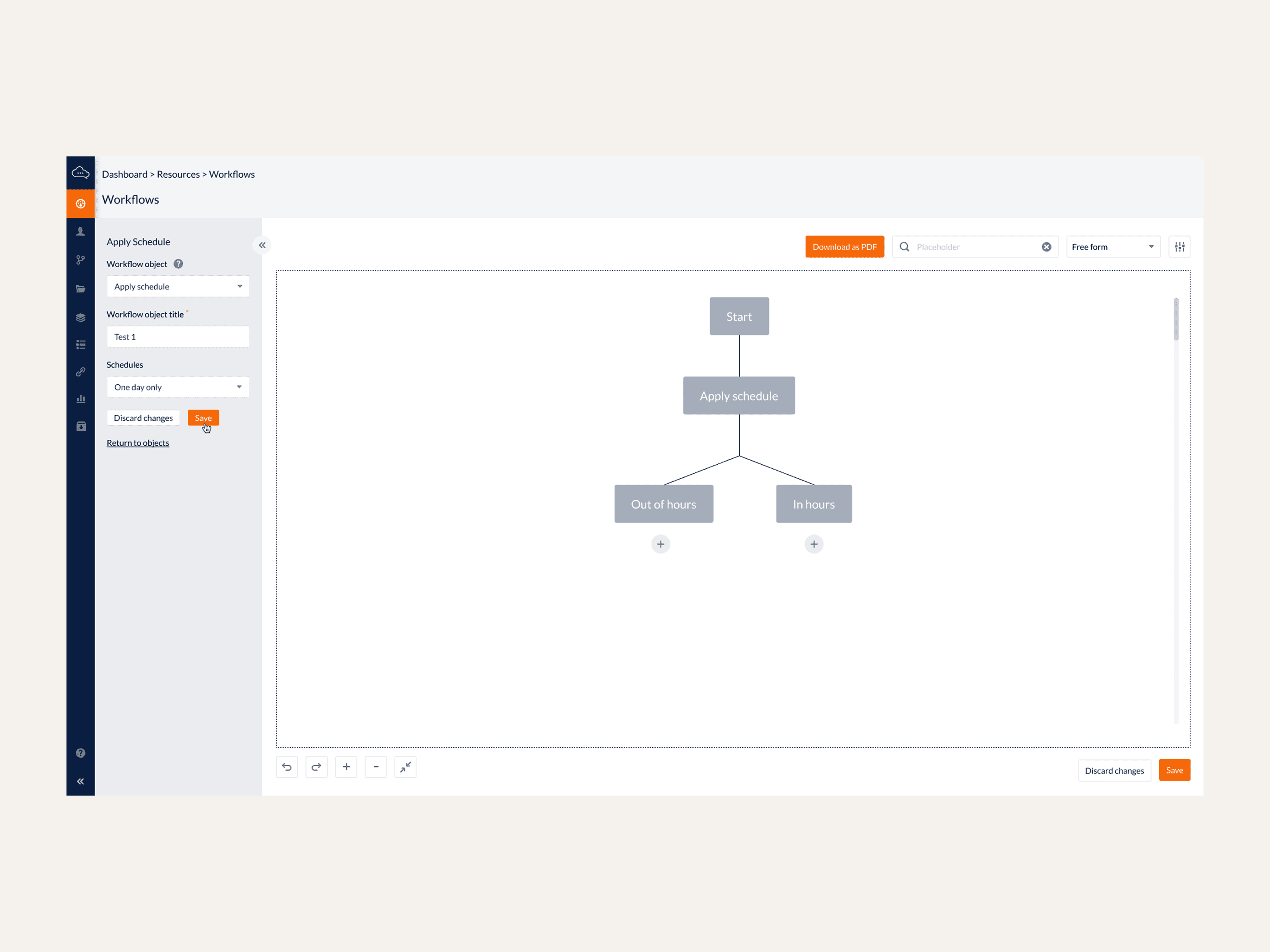
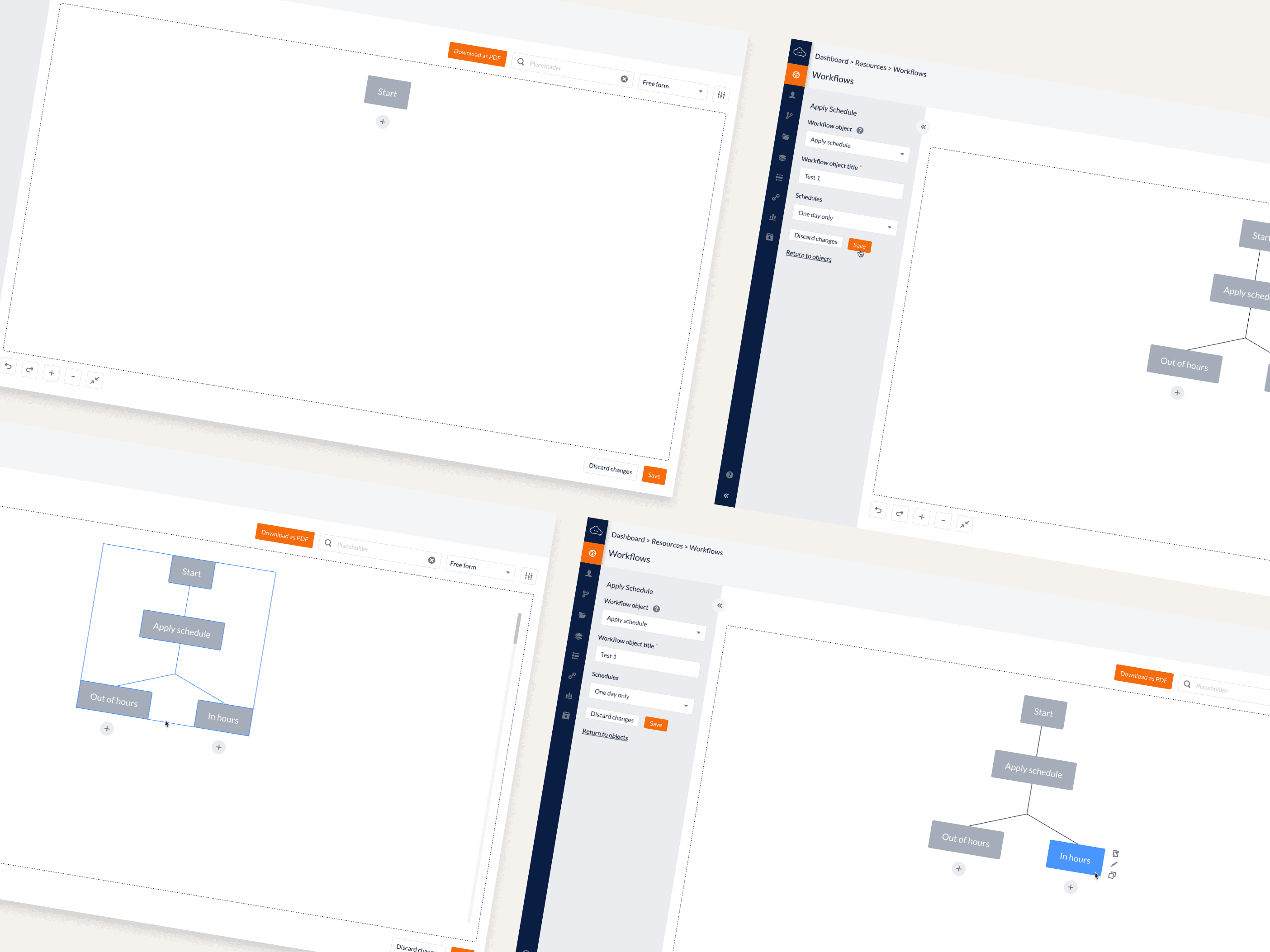
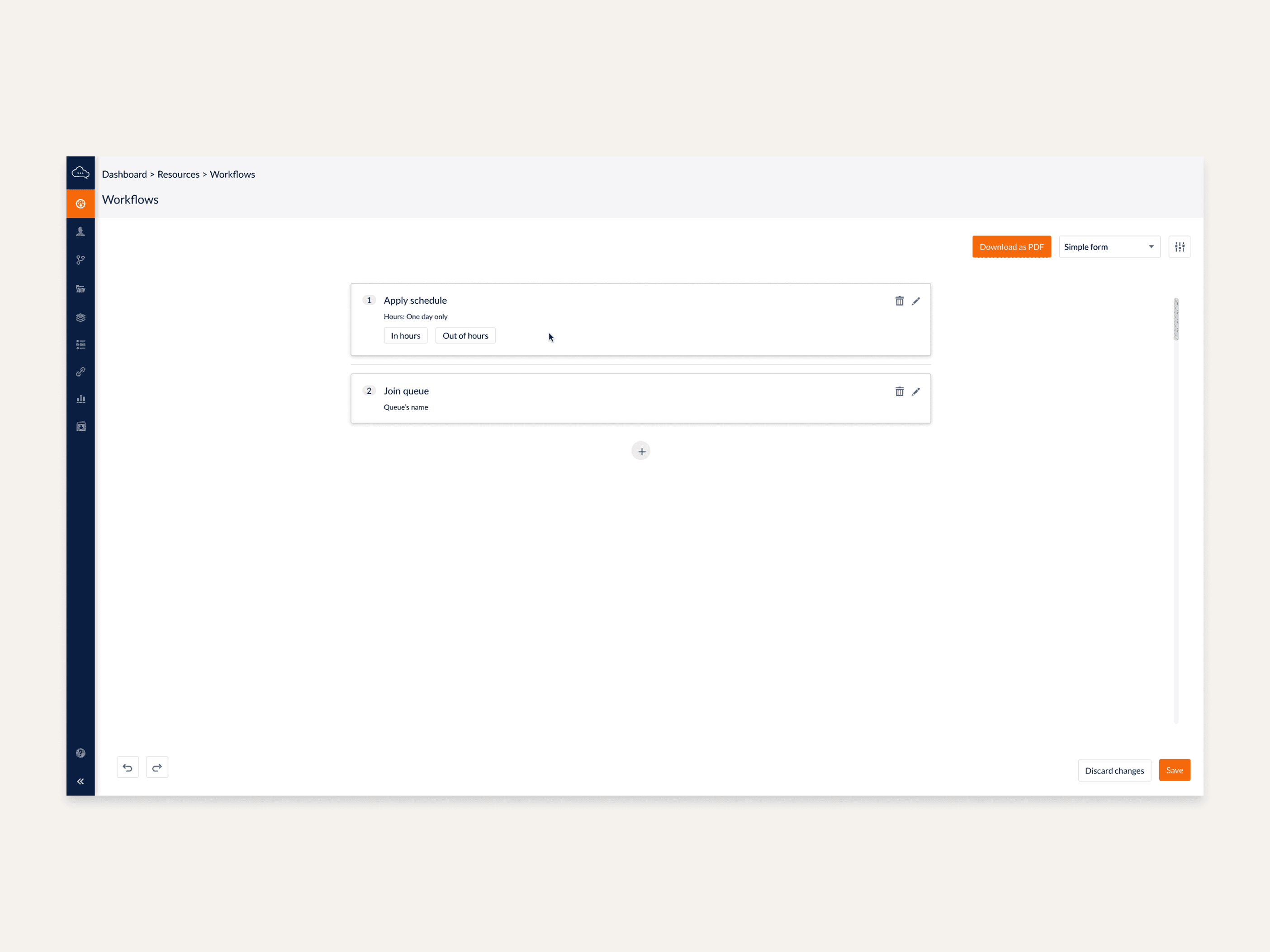
New Interaction Model – “Free Form” Canvas
I explored a canvas-based model where users can:
Drag and drop objects into the flow
Hover to reveal actions and details
Copy/paste and move multiple objects at once
Add or remove nodes in the middle of the workflow
Work with tabs for multiple workflows in parallel
Minimize sections to reduce visual noise
Upload and preview audio assets from within the builder
The goal was to turn the builder into a safe, visual thinking space, not a brittle form.
Structural Improvements
Conceptual improvements included:
Full workflow visualization: a zoomable overview so users see start-to-end logic.
Object grouping & categories that reflect real operational concepts.
Clear naming conventions for nodes and actions.
Error prevention and validation rules (e.g. detecting broken branches).
Cross-workflow links (e.g. “Go to workflow X”) visualized as connections.
Missing Objects & Capabilities
I identified and conceptually introduced missing elements such as:
Voicemail handling objects
Capture/record nodes (e.g. gather user input)
Callback queue logic
These additions were key to supporting more realistic, complete IVR scenarios without hacky workarounds.
Collaboration & Dev Alignment
I collaborated with engineering teams to:
Understand technical limitations of the existing IVR engine
Explore how far we could push interaction patterns without full re-platforming
Propose future-state interaction models that could be phased in
Document new object behaviors and their implications
Prepare the groundwork for future API and architecture changes
This work helped reduce ambiguity in roadmap discussions and gave Product and Engineering a concrete UX target.
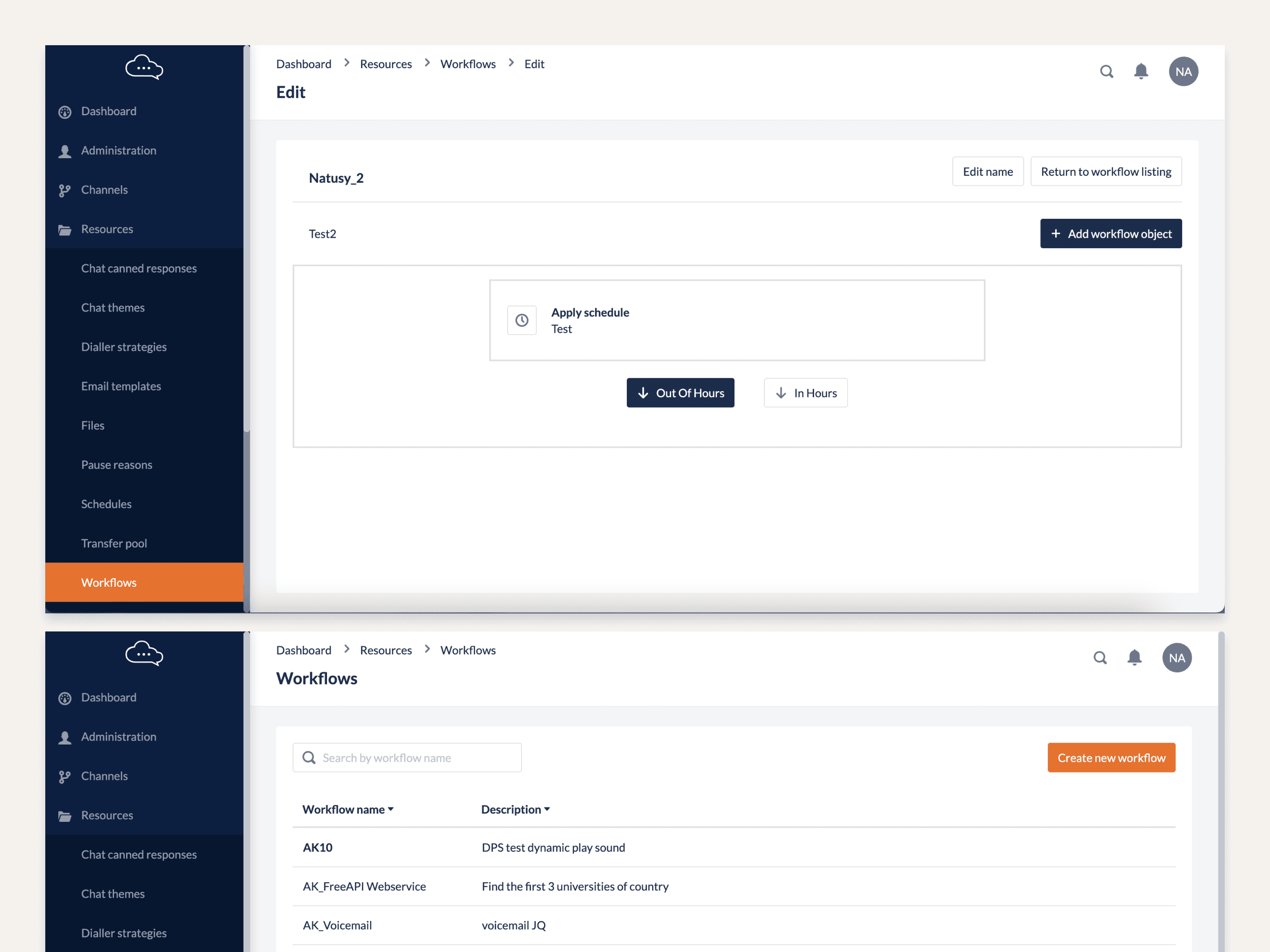
Images: Notes, interviews document and before redesign:
QA & Future Implementation
Although the engagement was focused on discovery and definition, I:
Supported QA in identifying current failure modes that UX changes could mitigate
Proposed validation rules (e.g. blocking publish if certain conditions aren’t met)
Documented high-risk scenarios to prevent “breaking” flows
Produced early UX specs and diagrams to inform
Expected Organizational Impact
Reduced operational errors
Faster campaign creation
Lower engineering dependency
Safer, more transparent IVR editing
Scalable foundation for future features
Reflection
This case demonstrates deep systems thinking, risk-aware design, enterprise UX, and workflow modelling.
It shows the ability to redesign high-stakes internal tools where architecture, not UI, is the primary challenge.